


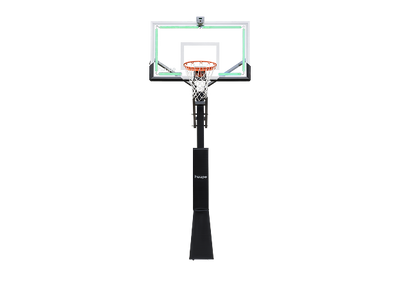

 ARENA Installation

Step-by-step video instruction for installing your huupe ARENA
huupe ARENA Installation Guide

Failure to follow these warnings and instructions may result in serious injury, death, and/or property damage.
- Locate your system away from potential dangers including trip hazards, high-traffic areas, or where a vehicle may come into contact with the system.
- To avoid serious injury, DO NOT locate the system under a power line that may come into contact with the system as it is raised. Power lines should not be present within a 20-foot radius of the system.
- Before digging the hole for the ground anchor, check for underground power, gas, telephone, water and other utility lines. Failure to do so could result in serious injury. Call 811 or your local utility company to ensure that all underground utilities are a safe distance away from the anchor system.
Safety Instructions
Owners must ensure that all players understand and follow these safety rules.
- Read all instructions carefully before assembling or using this system.
- Before beginning assembly, check all packaging materials and confirm that all parts and instructions are included. Use the parts list to verify components.
- Proper assembly, use, and supervision are essential to reduce the risk of injury. Failure to follow these instructions may result in serious injury or property damage.
- At least two adults are recommended for installation. Use caution when working with ladders.
- Do not hang on the rim, backboard, or support structure. Keep hands and fingers clear of moving parts during adjustment. Children should not operate or adjust the system without adult supervision.
- Use extreme caution when using a ladder during assembly.
- Climate, corrosion, and misuse may result in system failure.
- The minimum operational height is 7.7 ft (3.35 m) to the bottom of the backboard.
- Read and understand the warning label affixed to the pole before use.
- The lifespan of the basketball pole depends on several factors, including climate, placement, and exposure to corrosive materials such as pesticides, herbicides, and salts.
- Adult supervision is recommended when adjusting the height of the system.
Read and understand the warnings listed below before using this product. Failure to follow these warnings may result in serious injury and/or property damage.
- Do not hang on the rim or any part of the system, including the backboard, support braces, or net. During play, especially when performing dunk-type activities, keep your face away from the backboard, rim, and net.
- Serious injury may occur if the face or teeth come into contact with the backboard, rim, or net.
- When adjusting the height or moving the system, keep hands and fingers clear of moving parts. Do not allow children to move or adjust the system.
- Do not wear jewelry (rings, watches, necklaces, etc.) during play, as items may become entangled in the net.
- Inspect the pole regularly for signs of corrosion, such as rust, pitting, or chipping. Repaint with exterior enamel paint as needed. If rust has penetrated the steel, replace the pole immediately.
- Before each use, check the system for proper ballast, loose hardware, excessive wear, and signs of corrosion. Repair any issues before use.
- Ensure the system is stable before each use.
Parts List

Screw Package

Installation Timeline
- Before installing the anchor system and goal assembly, contact utility services to locate any underground lines prior to digging.
- The vertical main post assembly is completed in two stages.
Part 1
Day 1: Complete the anchor system installation (see instructions below).
Days 2–4: Allow the concrete to fully cure.
Part 2
Day 5: Complete the huupe ARENA assembly (requires professional installation equipment or four adults).

Prior to any excavation, all underground utilities — including electrical, gas, water, and telecommunications lines — must be identified and clearly marked in accordance with applicable local, state, and federal regulations. Failure to comply may result in serious injury, death, and/or property damage. The installer is solely responsible for contacting the appropriate utility locating service before digging.
Part 1 — Required Materials and Tools (Not Included)
Materials
- (11) Bags of concrete, 80 lb (36.3 kg) each
- (1) Concrete form (can be built with 2x4's)
Tools
- (1) Post hole digger (optional)
- (1) Wrench, 15/16 in (open-end)
- (1) Socket, 15/16 in, with ratchet (optional)
- (1) Wheelbarrow
- (1) Garden hose
- (1) Level
- (1) Tape measure

Identify Installation Location
Determine the location of the anchor system. The proper location is as close to the court without making contact.
- At 10 ft height: Overhang 36.8 in (≈ 3.07 ft)
- At 8.75 ft height: Overhang 41.3 in (≈ 3.44 ft)
- At 7.64 ft height: Overhang 40.6 in (≈ 3.38 ft)
Excavation: Once the location is established, dig a hole 18" × 18" square and 48" deep.
Prepare Concrete: Mix and pour concrete into the hole according to the manufacturer's instructions. Fill to approximately 18 in (457 mm) below finished court level.
Install Reinforcement Bars: Insert four reinforcement bars (#40) into the concrete, spaced 8 in (203 mm) apart, forming a square pattern centered in the hole.
Concrete Form: Position the concrete form and continue pouring concrete up to finished court level.

Assemble Anchor Kits
Assemble the anchor system as follows: Thread nuts (#19) to the bottom of the threads on the anchor bolt. Insert the anchor bolt through the hole on the anchor plate and secure with a nut. Repeat this step for the remaining anchor bolts.

Install Anchor Kits into Cement
Place the assembled anchor system into the wet concrete. Agitate slightly to eliminate air pockets. Immediately use a level to ensure the anchor plate is level and square to the playing surface. Remove any concrete from exposed threads before it cures.
The bottom four nuts should be embedded in concrete, while the top four nuts are used for leveling. Allow the concrete to cure for 72 hours.
Part 2 — Required Materials and Tools (Not Included)
Wrenches & Sockets
- (1) 13mm open-end wrench
- (1) 17mm open-end wrench
- (1) 19mm open-end wrench
- (1) 24mm open-end wrench
- (1) 30mm deep well socket with ratchet
Measuring & Leveling
- (1) Tape measure
- (1) Level
Support & Setup Equipment
- (1) Ladder
Safety & Miscellaneous
- (1) Pair of safety glasses
- (1) Rubber mallet

Install Lower Pole
Carefully lower the Lower Pole (#17) onto the four anchor bolts.
Note: Ensure the cable access hole on the pole is facing away from the court.
Secure the pole using the provided Nuts (#19). Tighten the nuts evenly in a crisscross (diagonal) pattern to ensure the pole remains level and stable.

Install Upper Pole
Insert the upper pole (#16) section into the lower pole (#17). Align the bolt holes and fasten securely using the provided bolts and nuts.

Install Lift Actuator Mounting Bracket
Attach the lift actuator mounting brackets (#5) to the pole using the designated hardware (#6). Position the brackets exactly as shown in the image above, ensuring proper alignment. Once in place, securely fasten them using the screw set (#31), and verify that all connections are tight and stable before proceeding.

Install Lower Mounting Arm
Attach the lower mounting arms (#10) to the pole assembly and secure them using bolts and nuts (#25). Verify all connections are tight before proceeding.

Install Lift Actuator
Connect the lift actuator (#12) to both the lower mounting arms (#10) and the actuator mounting bracket (#5). Ensure all connection points are properly secured with bolt sets (#24) and (#29).

Install Lift Actuator Crank Handle
Attach the crank handle (#13) to the lift actuator and tighten securely.

Install Upper Mounting Arms
Position the upper mounting arms (#16) and secure them using the appropriate hardware set (#27) and (#28). Confirm proper alignment before tightening.
Note: The circular plate on the upper mounting arms should face downward.

Install Backboard Lower Mounting Bracket
Attach the lower mounting bracket (#4) to the backboard (#1) and secure it firmly using the provided hardware (#22) and (#23).

Install Backboard Upper Mounting Bracket
Secure the upper mounting bracket (#9) to the backboard (#1) using the provided bolts and nuts (#20).

Install Backboard
Have four people lift and hold the backboard assembly (#1) in position. While it is being supported, a fifth person attaches the lower mounting arms to the rim support (#231) using hardware (#26).
Next, attach the upper mounting arms (#11) to the upper mounting bracket on the backboard (#1) using hardware (#32).
Tighten all hardware once properly aligned.

Install Net
Attach the net (#3) by looping it through each hook on the rim (#2).

Install Basketball Rim
Secure the basketball rim (#2) to the backboard using the provided hardware (#21). Ensure all bolts are tightened properly before use.

Install Pole Pad
Tear open the Velcro of the protective sleeve, wrap the sleeve around the main rod, then stick and fasten the Velcro tightly.

Level Basketball Hoop
If leveling is required, loosen leveling nuts accordingly until the basketball hoop is leveled.

Install huupe ARENA Sensor Hub
Center the huupe ARENA Sensor Hub on the backboard frame. Tighten the mounting bracket knobs clockwise until the bracket is securely clamped to the aluminum backboard frame.

Remove Waterproof Cap
The huupe ARENA hoop is shipped with waterproof protective caps installed on both LED strip connectors. Before installation, remove the waterproof protective cap and connect the waterproof connector to the huupe ARENA Sensor Hub Unit.
If the huupe ARENA Sensor Hub Unit is not yet available, keep the waterproof protective cap attached to maintain the IP67 waterproof rating.

Connect the LED to huupe ARENA Sensor Hub
Connect each LED strip connector to the corresponding port on the huupe ARENA Sensor Hub Unit.
- Left LED strip → Left port
- Right LED strip → Right port

Route the Power Cable
Connect the main power cable to the huupe ARENA Sensor Hub Unit. Route the main power cable (shown in green) along the right side of the backboard and secure it with zip ties.
The opposite end of the main power cable terminates in a standard 3-prong US plug for connection to an extension cord.
Note: Extension cord is not included with huupe ARENA.

Route Extension Cord Through Pole
Insert the male plug of the extension cord into the cable access hole at the top of the pole. Feed the extension cord down through the pole and pull the male plug out through the bottom cable access hole.
Route the extension cord along the right upper mounting arm (#11) and secure it with zip ties.
Connect the extension cord to the main power cable.

Install Waterproof Pouch
Enclose the connection between the extension cord and main power cable inside the waterproof pouch. Wrap the Velcro straps around the mounting arm to secure the pouch in place.